

Why Your iPhone 17 Pro Max is a Family Travel Game-Changer
As a seasoned family travel planner, I've seen technology evolve from clunky flip phones to the sleek, indispensable devices we carry today. The iPhone 17 Pro Max, in particular, feels like it was designed with the modern traveling family in mind. Its robust performance and advanced eSIM capabilities mean fewer headaches for us parents and more uninterrupted enjoyment for everyone. Gone are the days of fumbling with tiny physical SIM cards at a foreign airport, trying to keep track of a toddler while deciphering a new carrier's instructions.
For families, the dual-eSIM functionality of the iPhone 17 Pro Max is nothing short of revolutionary. It allows you to maintain your home number for important calls, while simultaneously activating a local data plan for navigation, streaming, and keeping the kids entertained. This means no more worrying about missing a call from school or your bank, all while enjoying affordable, high-speed internet wherever your adventures take you. Think of it as having a digital travel assistant built right into your phone, ready to adapt to any country's network with a few taps.
The Peace of Mind Factor
Let's be honest, traveling with kids is an exercise in controlled chaos. Anything that simplifies the logistics is a win. Knowing that your primary communication device, your lifeline, is connected reliably, provides an immense sense of security. Whether you're trying to locate a specific gate at Heathrow, looking up allergy-friendly restaurants in Rome, or simply needing to distract a restless child with a quick episode of Bluey, consistent connectivity is paramount. The iPhone 17 Pro Max makes this a reality, allowing you to focus on the magic of the trip, not the technical woes.
For instance, on our last trip to Dubai, navigating Expo City with a stroller and two energetic kids was a breeze because I could instantly pull up maps and attraction times without missing a beat, thanks to our pre-activated eSIM. If you're heading to Dubai with your family, you might find this guide helpful: Dubai's Expo City: Navigating Business Events with Family, 2026. The seamless transition from Wi-Fi to cellular data on the iPhone 17 Pro Max meant I never lost connection, even in crowded areas.
eSIM for the Family, Demystified: The Basics for 2026
An eSIM, or embedded SIM, is essentially a digital SIM card built directly into your iPhone 17 Pro Max. Instead of swapping out tiny plastic chips, you simply download a profile from your chosen provider. This technology has matured beautifully, especially by 2026, making it incredibly reliable and user-friendly for even the most tech-averse among us (my husband, for example, finally gets it). It’s an essential tool for any global traveler, particularly those juggling family needs.
No More Physical SIM Cards: A Traveling Parent's Dream
Picture this: You've just landed after a nine-hour flight with a sleeping toddler draped over you and a pre-teen demanding to know the Wi-Fi password. The last thing you want to do is hunt for a paperclip to pop open a tiny SIM tray, praying you don't drop the minute card into a dark airplane seat crevice. With eSIM, that stress is eliminated. You can purchase and activate your data plan before you even leave home, stepping off the plane fully connected.
This convenience isn't just about avoiding a small logistical hurdle, it's about reclaiming precious minutes and mental energy during those critical arrival and departure moments. Those moments are often the most stressful for families, and anything that reduces friction is a godsend. Plus, for those of us who travel frequently to different regions, an eSIM makes managing multiple local numbers a breeze, whether you're navigating Argentina & Brazil in 2026 or planning a trip across Europe.
Understanding Dual eSIM Capabilities
The iPhone 17 Pro Max supports dual eSIMs, meaning you can have two active eSIM profiles simultaneously. This is fantastic for families because it allows you to keep your primary line active for calls and texts from home (important for emergencies or checking on pets), while using a separate, affordable travel data plan. For example, you might use your primary line for family calls with grandma, and the travel eSIM for mapping and streaming.
This setup also enables you to manage data usage more effectively. You can designate which eSIM is used for cellular data, ensuring your expensive home plan isn't accidentally racking up roaming charges. It's a clever way to keep costs down and maintain connectivity without compromise. For more in-depth knowledge on this, check out this post: iPhone 17 Pro Dual-eSIM: Master Global Roaming & Local Data by 2027.
Choosing the Right eSIM Plan for Your Squad
Selecting an eSIM plan isn't just about finding the cheapest option, it's about finding the right fit for your family's unique travel style and data consumption habits. With kids, data usage can skyrocket faster than a toddler on a sugar rush, so careful planning is key. Consider where you're going, how long you'll be there, and what everyone's digital needs are.
Data Plan Sized for Two Kids Streaming Disney+
This is where many parents make a critical error, underestimating just how much data two kids can burn through in a single afternoon. If your children are like mine, streaming Disney+, Netflix Kids, or YouTube Kids is non-negotiable during travel downtime, long car rides, or even just during dinner prep. A single hour of standard definition streaming can consume around 1 GB of data per device. If you have two kids, each watching on their own iPad, that's 2 GB per hour.
For a week-long trip with daily streaming, you're looking at a minimum of 20-30 GB just for entertainment. Add in map navigation, social media, video calls back home, and general browsing for yourself and your partner, and suddenly a 50 GB plan doesn't seem so extravagant. When I look at plans for my family, I always factor in at least 3-4 hours of cumulative screen time per day across devices, just for streaming. It's better to have too much data than to run out when you're trying to keep the peace.
| Usage Scenario | Estimated Daily Data (GB) per Device | Recommended Plan for 2 Kids, 1 Week (GB) |
|---|---|---|
| Light browsing & messaging | 0.5 | 10-15 |
| Moderate streaming (1-2 hrs SD) | 1.5-2 | 25-30 |
| Heavy streaming (2-3 hrs HD) | 3-4 | 50+ |
| Video calls & gaming | 4+ | 75+ |
Regional vs. Single-Country eSIM Packages
When planning a multi-country European adventure, for example, a regional eSIM package is often the most cost-effective and convenient choice. These plans cover multiple countries within a specified region, meaning you don't have to buy a new eSIM for every border crossing. This is especially useful for a grand tour, say, from Paris to Rome and then on to Berlin.
However, if you're spending your entire trip in one specific country, like a week exploring the markets of Marrakech, a single-country eSIM often provides more generous data allowances or better local network priority for a similar price. Always compare the per-GB cost and coverage of both options. Remember, some providers offer excellent multi-country options that work seamlessly across continents, which could be perfect if you're taking a long journey like the one detailed in iPhone 17 & WestESIM: Seamless Setup for Your Americas Journey (2026).
Setting Up Your iPhone 17 Pro Max eSIM: A Step-by-Step Family Guide
The beauty of eSIM is its simplicity, but a little pre-planning goes a long way. Setting up your eSIM on the iPhone 17 Pro Max is straightforward, especially if you follow these steps. I usually do this a day or two before departure, just to avoid any last-minute airport panic.
Pre-Loading Apps Before the Flight: A Lifesaver
Before you even think about activating your eSIM, download all those essential apps while you're still on your home Wi-Fi. This includes:
- Offline Maps: Google Maps or Apple Maps allow you to download entire regions for offline use. This is non-negotiable, especially if you're prone to wandering off the beaten path or dealing with patchy service.
- Entertainment: Disney+, Netflix, and YouTube Kids all allow for offline downloads. Load up those iPads with movies and shows!
- Travel Apps: Airline apps, hotel booking apps, currency converters, local transit apps (like Citymapper), and translation tools.
- Parental Control Apps: Ensure any screen time or content filters are working as expected before you leave.
Trust me, trying to download a 3 GB movie for a restless child using precious travel data, or worse, slow airport Wi-Fi, is a situation you want to avoid at all costs. Do this first, and thank me later.
Activating Your eSIM: The Easy Way
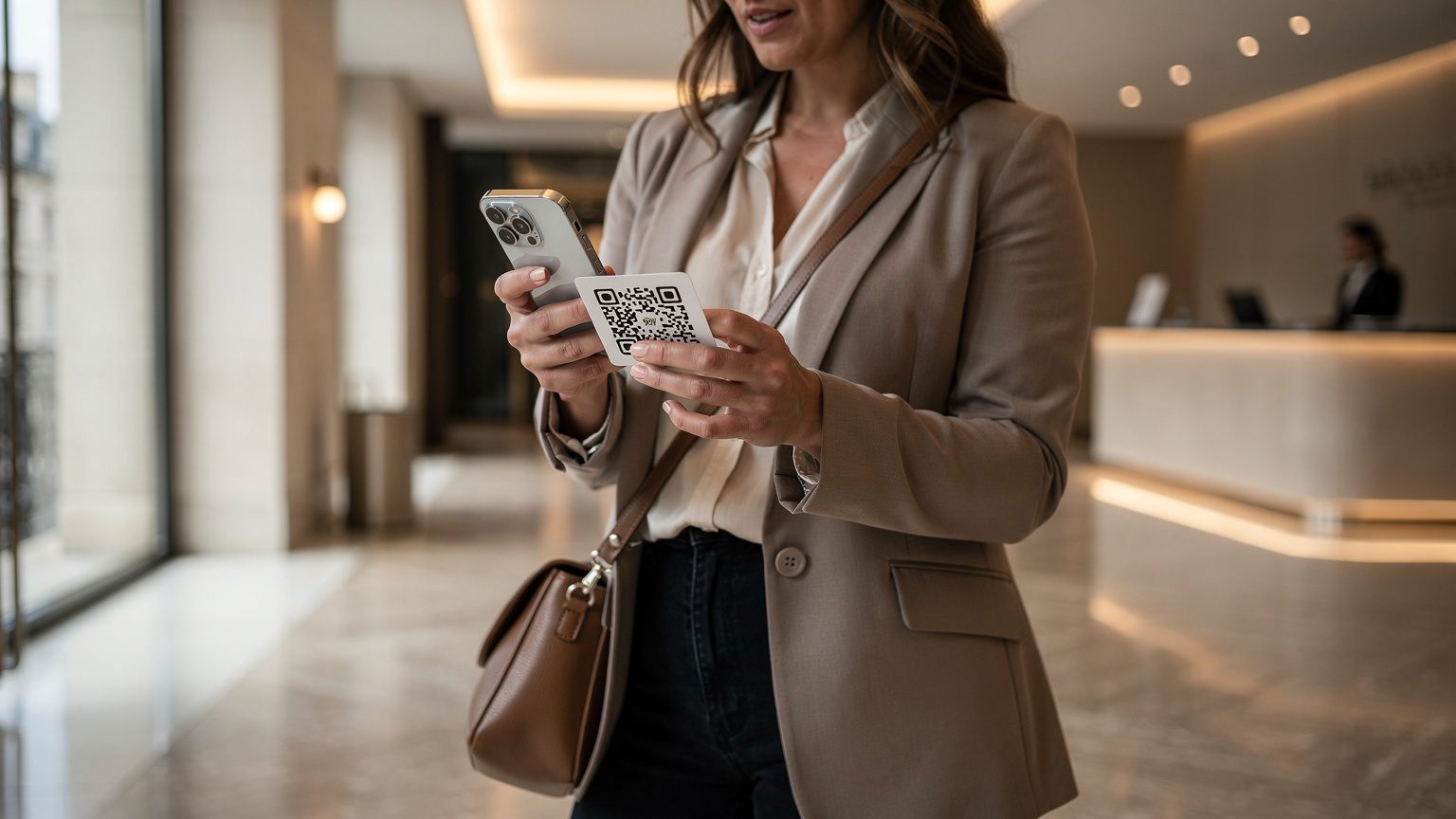
- Purchase Your eSIM Plan: Visit the eSIM provider's website. For instance, if you're heading to Europe, browse the available Europe eSIM plans. Choose a plan that suits your data needs and travel duration. You'll typically receive a QR code or manual activation details via email.
- Connect to Wi-Fi: Ensure your iPhone 17 Pro Max is connected to a stable Wi-Fi network. This is crucial for downloading the eSIM profile.
- Go to Settings: Navigate to Settings > Cellular (or Mobile Data) > Add eSIM.
- Scan QR Code or Enter Details: Use your iPhone's camera to scan the QR code provided by your eSIM provider. If you received manual details, choose 'Enter Details Manually' and input the SM-DP+ Address and Activation Code.
- Label Your eSIM: Once activated, iOS will prompt you to label your new eSIM (e.g., 'Travel Data', 'France Trip 2026'). This helps you easily distinguish it from your primary line.
- Set Default Line: Decide which line to use for calls, messages, and cellular data. For travel, I usually set my travel eSIM as the default for cellular data and keep my home number for calls and texts.
It's genuinely that simple. Most activations take less than two minutes. The iPhone 17 Pro Max walks you through each step clearly.
Managing Data and Screen Time on the Go
This is where the 'weary parent humour' comes in, because managing kids' screen time and data usage while traveling feels like an Olympic sport. Thankfully, the iPhone 17 Pro Max and iOS have some built-in features that make it manageable, even when you're navigating new time zones and exciting distractions.
Parental Control Features That Work on the eSIM Line
iOS's Screen Time features are invaluable. They work irrespective of whether your child's device is connected via Wi-Fi or cellular data from your personal hotspot. This means the limits you set for app usage, downtime, and content restrictions remain active. Make sure these are configured on your kids' devices (iPads, older iPhones, etc.) before you even leave home.
- App Limits: Set daily time limits for specific apps like YouTube, Roblox, or gaming apps.
- Downtime: Schedule periods when only essential apps (like FaceTime for calling family) are available.
- Content & Privacy Restrictions: Filter websites, restrict explicit content, and prevent in-app purchases.
- Communication Limits: Control who your kids can communicate with, especially useful for younger children.
Remember, consistency is key. Even on vacation, maintaining some boundaries around screen time helps everyone enjoy the trip more, (and saves your data plan from being completely depleted by endless TikTok scrolls). For those times when the iPad needs a top-up, have a portable charger handy. Nothing derails a peaceful moment faster than a dead device during a long flight.

Monitoring Data Usage and Setting Limits
Your iPhone 17 Pro Max allows you to closely monitor data usage for each eSIM. Go to Settings > Cellular (or Mobile Data) and scroll down to see which apps are consuming the most data. You can even toggle off cellular data for specific apps if they're being particularly greedy (looking at you, Instagram).
While iOS doesn't offer hard data caps for specific apps, you can be vigilant. If you notice data disappearing faster than gelato on a hot Italian day, it's time for a gentle reminder to the kids about offline content or a temporary pause on streaming. Many eSIM providers also offer usage tracking through their own apps, giving you another layer of control. Some advanced family plans allow you to set data limits per connected device, which is a blessing if one child is a data hog.
| Feature | Benefit for Families | How to Access (iOS 18) |
|---|---|---|
| App Limits | Controls daily usage for specific apps. | Settings > Screen Time > App Limits |
| Downtime | Scheduled periods of device unavailability. | Settings > Screen Time > Downtime |
| Content & Privacy Restrictions | Filters explicit content, prevents purchases. | Settings > Screen Time > Content & Privacy Restrictions |
| Cellular Data Toggle (per app) | Prevents specific apps from using mobile data. | Settings > Cellular > Scroll to 'Cellular Data' apps |
Connectivity Challenges and Solutions for Family Travel
Even with the best planning, travel can throw curveballs. Understanding potential connectivity challenges and knowing how to tackle them will save you a lot of stress. From crowded theme parks to cruise ships, each environment presents its own unique hurdles.
Connectivity Inside Theme Parks and Attractions
Theme parks like Disneyland Paris or Universal Studios Orlando are notorious for spotty cell service, especially during peak hours. Thousands of people all trying to upload photos and stream videos can overwhelm local towers. Your iPhone 17 Pro Max, with its advanced antenna system, will perform better than older models, but even it can struggle.
My strategy: before entering, download all park maps and any essential ride-wait-time apps. Use your eSIM data for critical updates, but don't rely on it for constant high-bandwidth activities. Many parks offer free Wi-Fi, which can be a good backup, though often slow. Consider a portable Wi-Fi hotspot device if constant, reliable connectivity for multiple devices is a must. For those heading to the US around a major holiday, connectivity tips might be found in Thanksgiving 2026: The Engineer's eSIM & Connectivity Guide for US Travelers.
Staying Connected on Cruise Ships and Remote Locations
Cruise ships are a whole different beast. Their onboard Wi-Fi is often expensive and slow, and cellular service relies on satellite connections, which can be astronomically priced. Your iPhone 17 Pro Max eSIM won't work for data when you're miles out at sea unless your provider has a specific, often pricey, maritime roaming agreement. This is a critical distinction.
However, your eSIM will kick in every time the ship docks at a port. This is your chance to catch up on messages, upload photos, and let the kids stream a bit. Plan your data usage around these port stops. For truly remote adventures, like exploring Iceland's Highlands, consider a robust offline navigation strategy and manage expectations for connectivity. Sometimes, a digital detox is exactly what the family needs!

The Power of Personal Hotspots: A Family Lifesaver
Your iPhone 17 Pro Max isn't just a phone, it's a portable Wi-Fi router. The Personal Hotspot feature is incredibly powerful for family travel, allowing you to share your eSIM's data connection with other devices, like your kids' iPads, Nintendo Switches, or even a travel laptop. This means you only need one robust data plan for yourself, and everyone else can piggyback off it.
Setting Up and Optimizing Your Hotspot
Activating your Personal Hotspot is quick:
- Go to Settings: Navigate to Settings > Personal Hotspot.
- Toggle On: Turn on 'Allow Others to Join'.
- Set Wi-Fi Password: Ensure you have a strong, easy-to-remember password.
- Manage Connections: You'll see how many devices are connected.
To optimize: make sure your iPhone 17 Pro Max is fully charged or plugged in, as hotspot use drains battery quickly. Position your phone centrally if possible, and remind the kids to download content when on hotel Wi-Fi rather than relying solely on your hotspot for heavy streaming. This is where those pre-loaded apps really shine. The iPhone 17 Pro Max's improved Wi-Fi 7 capabilities mean faster, more stable connections for all connected devices.
When to Use It, and When to Seek Wi-Fi
Use your personal hotspot for essential tasks and when no reliable Wi-Fi is available, such as in transit, at an outdoor attraction, or in a cafe with no guest network. For heavy data usage, like downloading large game updates for the Switch or prolonged HD streaming, always prioritize hotel Wi-Fi or public Wi-Fi networks when available. It conserves your eSIM data and your iPhone's battery. A quick check of our FAQ can often clarify common questions about data usage and hotspot best practices.
Troubleshooting Common eSIM Issues on Your iPhone 17 Pro Max
Even the most advanced technology can sometimes have a hiccup. Most eSIM issues are minor and easily resolved, but knowing a few tricks can save you from unnecessary frustration when you're abroad. Remember, the goal is always seamless connectivity.
No Service or Slow Data: What to Check
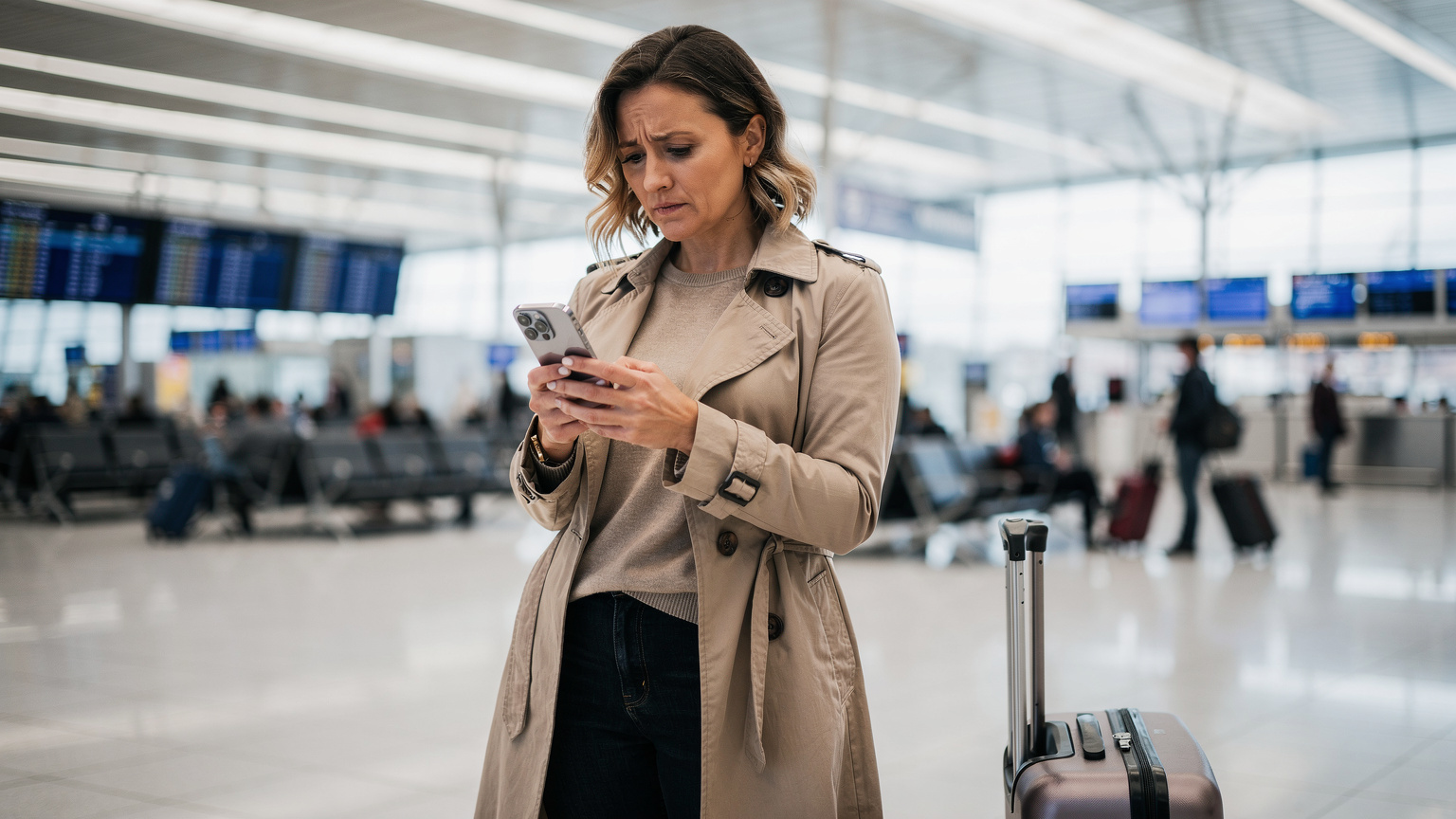
If you find yourself with no service or frustratingly slow data, here’s a quick troubleshooting list:
- Restart Your iPhone: The classic fix. A simple reboot can often resolve temporary network glitches.
- Check eSIM Activation: Go to Settings > Cellular (or Mobile Data) and ensure your travel eSIM is turned on and selected for cellular data. Sometimes, it might default back to your primary line.
- Verify Data Roaming: For some eSIMs, data roaming needs to be enabled. Check Settings > Cellular > [Your eSIM Label] > Data Roaming.
- Network Selection: Try manually selecting a network operator. Go to Settings > Cellular > [Your eSIM Label] > Network Selection and toggle off 'Automatic'. Wait for available networks to appear and try connecting to a different one.
- APN Settings: Rarely needed with modern eSIMs, but if you're still stuck, your eSIM provider might give you specific APN (Access Point Name) settings to input manually.
Most of the time, it's just a matter of ensuring the correct eSIM is active for data or giving your phone a quick reset. Patience is a virtue, especially when dealing with tech on vacation.
Pre-Trip Checklist for Your iPhone 17 Pro Max and eSIM
A good trip starts with good preparation. This checklist ensures you've covered all your bases for a smooth, connected family adventure with your iPhone 17 Pro Max.
- Purchase and Activate eSIM: Do this a few days before departure.
- Download Offline Maps: For all destinations, even if you plan to have data.
- Pre-load Entertainment: Movies, shows, audiobooks for the kids' devices.
- Configure Parental Controls: Set up Screen Time limits and content restrictions on all family devices.
- Backup Your iPhone: Just good practice before any major trip.
- Charge All Devices: Phones, iPads, portable chargers, Switch.
- Inform Your Bank: Let them know you'll be traveling to avoid card freezes.
- Review eSIM Provider Support: Know how to contact them if you encounter issues abroad.
Beyond Data: Useful Apps for Family Travelers
While an eSIM provides the essential data backbone, certain apps elevate the family travel experience. These are the tools I rely on, whether we're navigating a bustling European city or exploring a quiet village.
- PackPoint: Helps you organize your packing list based on destination, weather, and activities. Essential for remembering everyone's pajamas.
- TripIt: Consolidates all your travel plans (flights, hotels, car rentals) into a single itinerary. Perfect for keeping track of multiple bookings.
- Klook or GetYourGuide: For booking tours and attractions. Often cheaper than buying directly at the venue and allows you to skip lines.
- Google Translate: Download languages for offline use. Invaluable for ordering food or asking for directions in non-English speaking countries.
- Headspace or Calm: For moments of parental zen, or to help restless kids wind down after a busy day.
- Family Locator Apps: Apple's Find My app or Google's Family Link can help keep track of older children who might wander a bit further.
Frequently Asked Questions
Can I use my iPhone 17 Pro Max's eSIM to share data with my kids' iPads?
Yes, absolutely! Your iPhone 17 Pro Max can act as a personal hotspot, sharing its eSIM data connection with up to five other devices, including iPads, other phones, and even laptops. Just make sure your data plan is robust enough to handle the usage from multiple devices.
How much data do I really need for a family of four, including two streaming kids, for a week-long trip?
For two adults and two children who will be streaming regularly (1-2 hours daily each), using maps, and general browsing, I'd recommend a minimum of 50-75 GB for a week-long trip. Streaming movies or playing online games can consume data very quickly, so err on the side of generosity.
Will parental control features like Screen Time still work if my child's iPad is connected via my iPhone's eSIM hotspot?
Yes, iOS Screen Time features are device-specific and will continue to enforce limits and restrictions on your child's iPad regardless of whether it's connected to Wi-Fi or your iPhone's personal hotspot. Ensure these settings are configured on each child's device before you travel.
Is it better to buy a regional eSIM or a single-country eSIM for a trip covering multiple European countries?
For multiple European countries, a regional eSIM is generally more convenient and often more cost-effective. It allows seamless transition across borders without needing to activate a new plan in each country. However, if you spend most of your time in one country, a dedicated single-country eSIM might offer more data or better network priority.
What should I do if my iPhone 17 Pro Max eSIM shows 'No Service' while traveling?
First, try restarting your iPhone. If that doesn't work, check your Cellular settings to ensure the travel eSIM is active and selected for data. Verify that data roaming is enabled for that eSIM. If issues persist, manually select a network operator from the Cellular settings. Contact your eSIM provider if these steps don't resolve the problem.
Can I keep my home phone number active while using a travel eSIM for data on my iPhone 17 Pro Max?
Yes, this is one of the key benefits of the iPhone 17 Pro Max's dual eSIM capability. You can keep your primary home number active for calls and texts, while simultaneously using a separate travel eSIM for all your cellular data needs abroad. This avoids expensive international roaming charges on your home plan.