

Japan's eSIM Regulatory Landscape, What You Need to Know
Stepping off the plane at Narita or Haneda, the last thing you want is a connectivity blackout. Japan, while hyper-modern, has always had a slightly different approach to telecommunications compared to, say, Europe or the US. For visitors in 2026, the good news is that using an international eSIM for data is generally straightforward and doesn't require the same level of personal identification as a local physical SIM card would.
The key distinction lies in whether your eSIM provides a local Japanese phone number. Most travel-focused eSIMs, like the ones you'd find on HotelESIM's Japan eSIM page, are data-only or come with an international number. These typically fall under different regulations than a full-fledged local contract with a Japanese mobile network operator (MNO) like NTT Docomo, au, or SoftBank. This means you won't usually be asked for your residence card or detailed personal information, a relief if you're just visiting for a few weeks or even a couple of months.
The Data-Only Loophole, How It Benefits Travelers
Japan's telecommunications laws, particularly the Telecommunications Business Act, are stringent regarding identity verification for mobile service contracts. This is primarily to prevent fraud and misuse. However, these rules are mostly aimed at services that provide local phone numbers, which can be used for financial transactions or other official purposes. Data-only services, especially those purchased from foreign providers, are generally exempt.
Think of it this way, you're essentially roaming on a Japanese network, but through a foreign carrier's agreement, not directly subscribing to a Japanese one. This is why your travel eSIM works. It's a pragmatic solution that allows seamless connectivity without the bureaucratic hurdles often associated with obtaining local services.
Temporary Visitor Status and eSIM Usage
If you're entering Japan on a temporary visitor visa (which most tourists do, typically for up to 90 days), your options for local services are limited. You can't usually sign a long-term contract with a Japanese MNO. This is where international eSIMs shine. They bypass this limitation entirely. I've often seen fellow nomads, even those on longer-term visas, opt for these types of plans initially because they are simply less hassle. For instance, when I was in Fukuoka last year, trying to get a local SIM for a friend who was only there for two weeks was a nightmare; the documentation required was disproportionate to the stay.
It's worth noting that while data-only eSIMs are fine, if you absolutely need a Japanese phone number for local calls or specific apps, you'll likely need to explore options like short-term physical SIMs available at airports or major electronics stores, which still require passport registration. Just don't expect it to be as quick as scanning a QR code.
Pre-Arrival eSIM Activation Strategy for Japan
My golden rule for any international trip, especially somewhere like Japan with its intricate infrastructure, is to land connected. The absolute worst time to figure out your data plan is when you're disoriented at Narita's Terminal 1, trying to navigate to the Keisei Skyliner. Pre-activating your eSIM is not just convenient, it's a strategic move that saves time, stress, and potentially missed connections.
Why Activate Before You Depart?
Activating your eSIM before you leave your home country ensures that any potential issues can be resolved while you still have access to reliable Wi-Fi and your home network. Once you're in Japan, if you hit a snag, you're relying on airport Wi-Fi (which can be spotty) or scrambling to find a cafe with free internet. I've been there, staring at a 'No Service' message in a foreign airport, and it's not a fun way to start a trip.
Most eSIMs, including the ones offered by HotelESIM, allow you to install the profile while still at home and it will only activate once it detects a signal from the destination country. This way, you land, your phone connects, and you're good to go. No fuss, no frantic searching for Wi-Fi. This applies whether you're heading to the bustling streets of Tokyo or the more serene settings of Shikoku.
Step-by-Step Pre-Activation Process
Here’s the drill I follow every time, and it hasn't failed me yet:
- Purchase Your eSIM: Select a plan that matches your data needs and duration of stay for Japan. Consider whether you need a regional plan like Your Asia-20 eSIM for Seamless 2026 Travels if you're hitting multiple countries in the region.
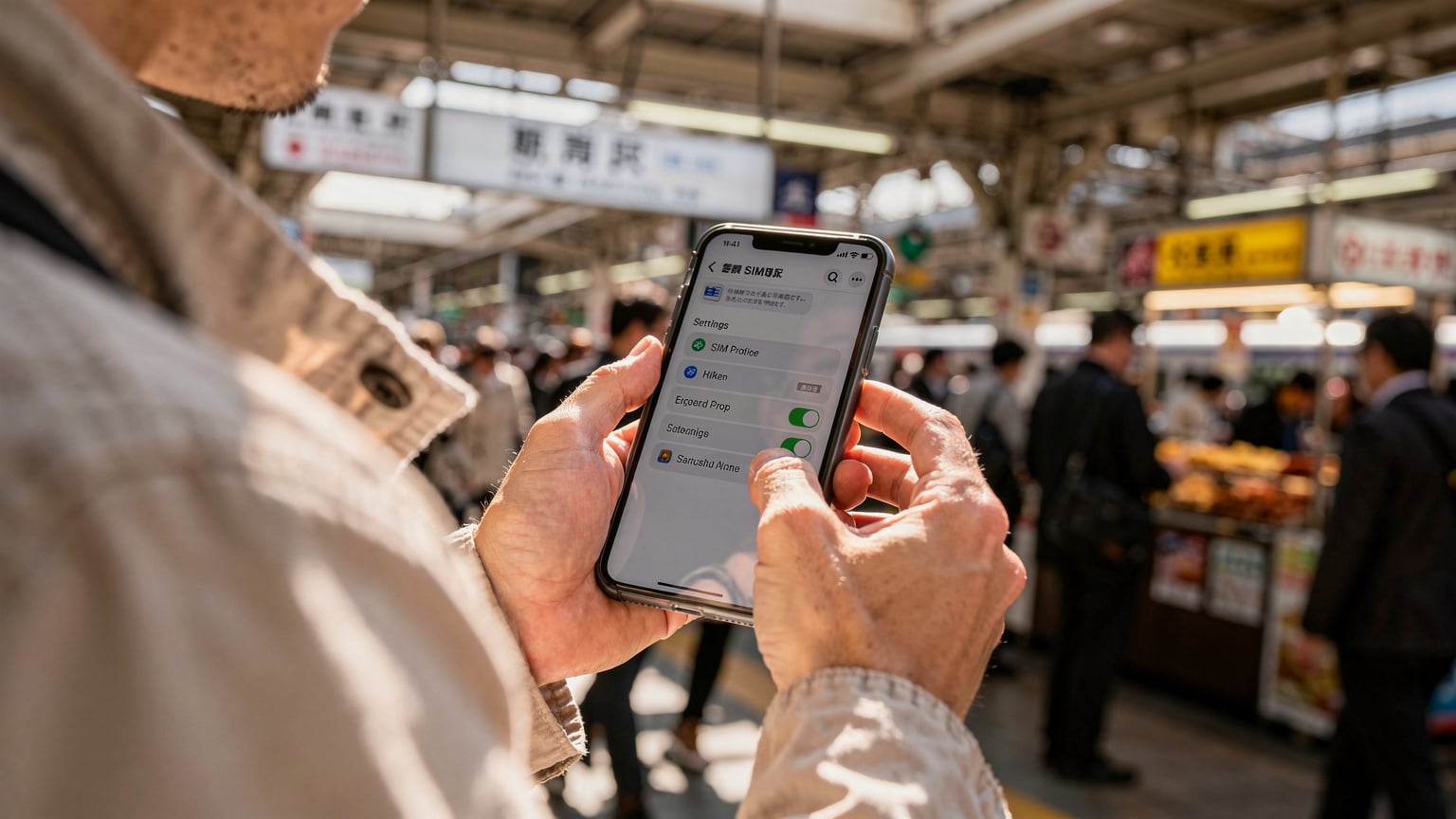
- Install the eSIM Profile: While still on your home Wi-Fi, scan the QR code provided by your eSIM provider. Follow your phone's prompts to install the new cellular plan. Make sure to label it clearly, something like 'Japan Travel' or 'HotelESIM Japan'.
- Configure Settings for Arrival: Go into your phone's cellular settings. Make sure your new eSIM plan is set to 'On'. Crucially, ensure 'Data Roaming' is enabled for this specific eSIM profile. Set your new eSIM as your primary data line. Keep your home SIM active but turn off its data roaming to avoid accidental charges.
- Set Data Line Priority: If your phone supports it, set your home SIM as primary for calls and texts, but the eSIM for data. This allows you to receive important calls/texts from home without draining your eSIM data or incurring roaming fees on your primary number.
- Test Before You Fly: While it won't connect to a Japanese network yet, you can often see the eSIM profile installed and ready. Double-check all settings.
This careful setup means that the moment your plane's wheels touch down, your phone will automatically latch onto a local Japanese network (Docomo, au, or SoftBank, depending on the roaming agreement), and you'll have data. No need to scramble for a connection to download the profile or deal with activation issues.
Post-Arrival Connectivity Checking and Troubleshooting
You've landed, you've cleared customs, and you're on the N'EX. Now, the moment of truth. Your phone should ideally connect automatically. But if it doesn't, don't panic. There are a few common culprits and quick fixes.
Immediate Steps to Verify Connection
First, check your phone's status bar. Do you see a network name (Docomo, au, SoftBank) and signal bars? If so, try opening a web browser or a messaging app like LINE. If it works, great. If not, here are the troubleshooting steps:
- Restart Your Phone: The oldest trick in the book, but often effective. A fresh boot can help your phone register with the new network.
- Check Data Roaming: Go to Settings > Cellular/Mobile Data > [Your eSIM Plan] and ensure Data Roaming is toggled ON. This is critical for international eSIMs.
- Verify APN Settings: Most eSIMs auto-configure APN (Access Point Name) settings, but sometimes they need manual input. Your eSIM provider's support pages will have the correct APN. For example, some require 'internet' or 'plus'. Find this in Settings > Cellular/Mobile Data > [Your eSIM Plan] > Cellular Data Network.
- Manually Select Network: If auto-selection fails, try manually picking a network. Go to Settings > Cellular/Mobile Data > [Your eSIM Plan] > Network Selection (or similar, depending on your OS). Turn off 'Automatic' and let it scan. Then, try connecting to Docomo, au, or SoftBank one by one.
- Contact Support: If all else fails, find airport Wi-Fi or a cafe (like Starbucks, where Wi-Fi is usually decent) and contact your eSIM provider's support. They can often diagnose issues remotely.
Common Pitfalls and How to Avoid Them
One common mistake I see is people forgetting to turn off data roaming on their home SIM, leading to unexpected charges. Another is not properly setting the default data line. If your phone tries to use your home SIM for data, your eSIM won't connect. Always double-check these settings.
Also, remember that some apps might be region-locked or require a local number for verification. For instance, while most navigation and messaging apps work fine, some specific local services or payment apps might require a Japanese number. Luckily, this is rare for general travel needs. If you're staying longer and planning to rent an apartment, for example, a local Japanese number might become more important for utility setup or landlord communication.
Choosing the Right eSIM Plan for Japan, Data vs. Calls
Selecting an eSIM plan isn't just about price, it's about matching your usage to the plan's offerings. Japan offers a fantastic digital infrastructure, and you'll find yourself relying heavily on data for navigation, translation, train schedules, and ordering food.
Understanding Data Needs for a Japanese Trip
A typical traveler in Japan uses a surprising amount of data. Google Maps for transit directions, Google Translate for deciphering menus, LINE for communicating with Japanese friends or tour guides, Instagram for sharing those stunning temple photos, and general web browsing. Then there's streaming music on the Shinkansen, or video calls back home.
Based on my experience, a 10GB plan for a two-week trip is usually a safe bet for moderate to heavy users. If you're a heavy streamer or relying solely on your phone for work, you might need more, or consider an unlimited plan if available. For light users who mostly use Wi-Fi, 5GB might suffice. Consider your travel style: are you mostly in Wi-Fi rich areas like Tokyo and Osaka, or exploring rural regions where Wi-Fi is scarce?
| Usage Type | Estimated Data/Hour | Scenario Examples |
|---|---|---|
| Web Browsing/Email | 50-100 MB | Checking train times, looking up restaurant reviews, quick social media scrolls. |
| Navigation (Google Maps) | 20-50 MB | Walking directions in Shibuya, navigating the Kyoto subway system. |
| Messaging (LINE, WhatsApp) | ~5 MB | Texting friends, sending photos. |
| Social Media (Scrolling) | 100-300 MB | Instagram, TikTok, Facebook with video content. |
| Video Streaming (SD) | 700 MB - 1 GB | Watching Netflix on a long train journey, YouTube videos. |
| Video Calls (HD) | 500 MB - 1 GB | Zoom calls with family/friends, work meetings. |
Do You Need Local Calls or Just Data?
For most short-term visitors, pure data plans are perfectly adequate. With apps like WhatsApp, LINE (ubiquitous in Japan), and FaceTime, you can make voice and video calls over data. Many hotels and even smaller guesthouses offer free Wi-Fi, and co-working spaces like WeWork or The Hive in Tokyo (where I spent a good month last spring, paying about 60,000 JPY/month for a hot desk) have robust connections.
If you absolutely need a Japanese phone number for specific purposes, such as making restaurant reservations that require a local number, or dealing with local delivery services, a data-only eSIM won't cut it. In such cases, a physical SIM from a local provider like Mobal or IIJmio, often purchased at airports or Yodobashi Camera stores, might be necessary. Just be prepared for the registration process, which requires your passport and often a credit card. Personally, I usually rely on hotel concierge services to make local calls if needed, or ask a local friend to help.
Local SIM vs. eSIM, When to Consider a Physical Card
The eSIM has revolutionized travel connectivity, but it's not always the one-size-fits-all solution. There are specific scenarios where a physical local SIM still makes sense, especially in Japan.
Advantages of eSIMs for Most Travelers
- Convenience: No physical card to swap, no tiny ejector tool to lose. Just scan a QR code or enter activation details.
- Instant Activation: Purchase and activate before you even land, ensuring immediate connectivity.
- Dual SIM Functionality: Keep your home number active for calls/texts while using the eSIM for data. This is invaluable.
- Flexibility: Easily switch between different eSIM profiles if you're hopping around regions or need different data plans. This is a huge benefit if you're on a multi-country trip, like hitting up Bali's Hidden Gems after Japan.
- Cost-Effective Data: Often, international eSIM data plans are more affordable than international roaming rates from your home carrier.
When a Physical Local SIM Might Be Better
Despite the convenience of eSIMs, a physical Japanese SIM card might be preferable if:
- You Need a Local Japanese Phone Number: For local calls, some online services, or if you plan to stay for an extended period and need to open a local bank account. Some specific apps, like the occasional local rental scooter service, might require a verifiable Japanese number.
- You're Staying Long-Term (e.g., Working Holiday or Visa Holder): If you're settling in for several months, a local contract SIM can be more economical in the long run and provides a fixed local number. However, this usually requires proof of residence, a Japanese bank account, and a longer-term visa. I've known nomads who rented apartments in places like Nishi-Ogikubo for around 80,000-120,000 JPY/month, and getting utilities set up absolutely required a local number.
- Your Device Doesn't Support eSIM: Older phones still rely solely on physical SIMs. This is becoming less common but is still a consideration.
For most short to medium-term tourists and even digital nomads on temporary stays, the benefits of an international eSIM far outweigh the occasional need for a local physical SIM. The hassle of obtaining and registering a local SIM in Japan can be a significant time sink you won't want to deal with on your trip.

Real-World Connectivity Test Results, Tokyo & Osaka
Forget what the brochures say, what's the actual connection like on the ground? I've put various eSIMs to the test across Japan's major cities and beyond. The good news is that Japan's infrastructure is phenomenal, rivaling even places like Singapore. You're generally in good hands, especially with major networks.
Performance in Metropolitan Areas (Tokyo, Osaka, Kyoto)
In Tokyo, specifically in areas like Shinjuku, Shibuya, and Marunouchi, connectivity on Docomo and SoftBank has been consistently excellent. I've worked from cafes like Streamer Coffee Company in Shibuya and the Starbucks Reserve Roastery in Nakameguro, experiencing speeds that rival my home fiber. Co-working spaces, naturally, are even better. I once tried to upload a 2GB video file at a Q-CAFE in Ginza, and it was done in minutes. Average speeds often hit 100-200 Mbps download and 30-80 Mbps upload, which is more than enough for video calls, large file transfers, and streaming 4K content.
Osaka and Kyoto are no different. Whether you're navigating Dotonbori or exploring the Fushimi Inari-taisha shrine, the connection holds up. The main MNOs (Docomo, au, SoftBank) have extensive 4G LTE coverage, and 5G is rapidly expanding, particularly in city centers and around major train stations. My experience with eSIMs leveraging these networks has been almost universally positive.
Coverage in Rural Regions and on Transit
Venture outside the major cities, and coverage can vary slightly, but it's still remarkably good. The Shinkansen lines, for example, have decent cellular coverage for most of the journey, though you might hit a few dead spots in tunnels or very remote mountain passes. I've often caught up on emails or watched downloaded shows on the bullet train between Tokyo and Hiroshima. Regular local trains, especially the Yamanote line in Tokyo, are perfectly covered.
Smaller towns and tourist spots like Hakone or Nikko also typically have strong 4G LTE signals. Where you might find some drop-offs are in truly remote, mountainous areas or isolated islands. If you're planning a serious wilderness trek, it's always wise to consider alternative communication methods, as detailed in Wilderness Communications: eSIM vs. Satellite Messengers for Trail Safety 2026. But for most travel, even off the beaten path, your eSIM will keep you connected.
| Network Provider | Coverage (4G LTE) | Typical Download Speed (Mbps) | Latency (ms) |
|---|---|---|---|
| NTT Docomo | Excellent (99%+ nationwide) | 80-250 | 20-40 |
| au (KDDI) | Excellent (98%+ nationwide) | 70-220 | 25-45 |
| SoftBank | Very Good (97%+ nationwide) | 60-200 | 30-50 |
Wi-Fi Hotspots and Public Internet Access
Japan has a decent network of public Wi-Fi hotspots, especially in major train stations, airports, convenience stores (konbini), and cafes. 'Japan Connected-free Wi-Fi' is a handy app that consolidates many of these. However, relying solely on public Wi-Fi is a recipe for frustration. Speeds can be inconsistent, and security is always a concern. I use it for quick checks but always prefer my secure eSIM connection for anything sensitive or bandwidth-intensive.
Long-Stay Considerations, Visa & Data Limits
If you're planning to stay in Japan for more than a typical tourist visit, your connectivity strategy needs to evolve. Visa limitations, data plan longevity, and the need for local services all come into play.
Visa Status and Its Impact on Connectivity Options
For temporary visitors, the 90-day limit on most tourist visas means that a good quality international eSIM is the easiest solution. You simply don't have the legal standing to sign up for long-term local mobile contracts. Even if you manage to find a short-term physical SIM, it will still be tied to your passport and temporary status, often with usage limits or higher costs.
However, if you're entering Japan on a longer-term visa, such as a Working Holiday Visa, Student Visa, or a specific work visa, your options expand significantly. With a residence card (Zairyu Card) and a local address, you can sign up for traditional mobile contracts with the major Japanese carriers. This will give you a local phone number, which is essential for many aspects of daily life, from opening a bank account (which can be notoriously difficult without one) to setting up utilities. For example, when I was contemplating a longer stint in Kyoto, a local friend warned me about the challenges of getting anything substantial done without a proper Japanese phone number tied to a local contract.
Managing Data for Extended Stays, Beyond 30 Days
Most travel eSIM plans are designed for short to medium-term travel, typically 7, 15, or 30 days. If you're staying for 2-3 months, you'll need a strategy for continuous connectivity. Options include:
- Stacking eSIMs: Purchase multiple eSIMs for consecutive periods. For example, two 30-day, 20GB plans. This is a common approach for digital nomads.
- Regional Plans: If you're bouncing around Asia, a regional eSIM like the Asia-20 eSIM might offer more flexibility and data over a longer period, sometimes up to 90 or 180 days.
- Consider Local Wi-Fi + Limited eSIM: If you're settled in one place with reliable Wi-Fi (e.g., a co-working space like Impact Hub Tokyo or your apartment), you might get away with a smaller data eSIM for when you're out and about.
Cost of living is always a factor for long stays. While Tokyo can be expensive (a basic studio apartment in a central area like Shibuya or Shinjuku can easily run 150,000-250,000 JPY/month, or about $1,000-$1,700 USD), other cities offer better value. For instance, in Fukuoka, you might find a decent apartment for 60,000-90,000 JPY/month. Keeping your connectivity costs in check, especially for data, can significantly impact your overall budget. An unlimited data eSIM can be a godsend if you rely on constant connectivity for work, even if it's a bit pricier upfront.
Always have a backup plan. I carry a small, unlocked portable Wi-Fi hotspot as a secondary option, pre-loaded with a data SIM, just in case my primary eSIM hits a snag. It's saved me from countless headaches, especially when I've had urgent deadlines and found myself in a dead zone.
Japan Connectivity FAQs
Can I use my existing phone number with a Japanese eSIM?
Yes, absolutely. Most modern smartphones support Dual SIM, Dual Standby (DSDS), meaning you can keep your home physical SIM (or another eSIM) active for calls and texts while using a separate eSIM for data in Japan. You'll simply designate your new eSIM for mobile data in your phone's settings.
Are there any data caps or throttling with Japanese eSIMs?
This depends entirely on the specific eSIM plan you purchase. Many plans come with a fixed amount of high-speed data (e.g., 10GB, 20GB). Once that data is used up, some plans will cut off service, while others will throttle your speed to a much lower rate (e.g., 128 kbps) for the remainder of the plan's validity. Always read the plan details carefully before purchasing.
What is the best way to make international calls from Japan with an eSIM?
The most cost-effective way to make international calls with an eSIM is to use Voice over IP (VoIP) apps like WhatsApp, LINE, FaceTime, Google Meet, or Zoom. These apps use your eSIM's data connection to make calls, avoiding expensive international calling rates from traditional phone numbers. If your eSIM plan includes an international number, you can use that for direct calls, but check the per-minute rates.
Can I top up my eSIM plan while in Japan?
Most international eSIM providers allow you to top up your data plan directly through their app or website. This is incredibly convenient if you find yourself needing more data than anticipated. Just ensure you do this before your existing data runs out to avoid any connectivity gaps.
Is eSIM compatible with all smartphones?
No, not all smartphones support eSIM. Generally, iPhones released after the iPhone XS (2018), Google Pixel phones from Pixel 3 onwards, and many newer Samsung Galaxy and other Android flagships are eSIM compatible. Always check your specific phone model's specifications before purchasing an eSIM. You can also consult an eSIM FAQ page for a list of compatible devices.
Conclusion: Staying Connected in Japan
Navigating Japan's digital landscape in 2026 is far simpler than it used to be, thanks largely to the widespread adoption of eSIM technology. By understanding the regulatory nuances, planning your activation, and choosing a data plan that genuinely fits your travel style, you can ensure a smooth, headache-free connection from the moment you land.
Whether you're exploring the neon-lit streets of Shinjuku, finding your zen in a Kyoto garden, or catching a Shinkansen across the country, a well-chosen eSIM is your best companion for staying online. It cuts through the complexity, letting you focus on the incredible experience Japan offers, rather than wrestling with connectivity issues. Trust me, after years on the road, knowing my data will just *work* is priceless.
Frequently Asked Questions
Can I use my existing phone number with a Japanese eSIM?
Yes, absolutely. Most modern smartphones support Dual SIM, Dual Standby (DSDS), meaning you can keep your home physical SIM (or another eSIM) active for calls and texts while using a separate eSIM for data in Japan. You'll simply designate your new eSIM for mobile data in your phone's settings.
Are there any data caps or throttling with Japanese eSIMs?
This depends entirely on the specific eSIM plan you purchase. Many plans come with a fixed amount of high-speed data (e.g., 10GB, 20GB). Once that data is used up, some plans will cut off service, while others will throttle your speed to a much lower rate (e.g., 128 kbps) for the remainder of the plan's validity. Always read the plan details carefully before purchasing.
What is the best way to make international calls from Japan with an eSIM?
The most cost-effective way to make international calls with an eSIM is to use Voice over IP (VoIP) apps like WhatsApp, LINE, FaceTime, Google Meet, or Zoom. These apps use your eSIM's data connection to make calls, avoiding expensive international calling rates from traditional phone numbers. If your eSIM plan includes an international number, you can use that for direct calls, but check the per-minute rates.
Can I top up my eSIM plan while in Japan?
Most international eSIM providers allow you to top up your data plan directly through their app or website. This is incredibly convenient if you find yourself needing more data than anticipated. Just ensure you do this before your existing data runs out to avoid any connectivity gaps.
Is eSIM compatible with all smartphones?
No, not all smartphones support eSIM. Generally, iPhones released after the iPhone XS (2018), Google Pixel phones from Pixel 3 onwards, and many newer Samsung Galaxy and other Android flagships are eSIM compatible. Always check your specific phone model's specifications before purchasing an eSIM. You can also consult an eSIM FAQ page for a list of compatible devices.
Do I need a local Japanese phone number for everyday tasks?
For most tourist activities, a local Japanese phone number isn't necessary. You can use data-based messaging and calling apps. However, for longer stays, renting an apartment, or setting up local utilities, a local number tied to a Japanese contract (requiring a residence card) often becomes essential.
How does Japan's data privacy compare to other countries for eSIM users?
Japan has robust data privacy laws, but for international eSIMs, your data is primarily governed by the privacy policies of your eSIM provider and their home country. While you roam on Japanese networks, the data packets are typically routed through your home provider's infrastructure. Always choose a reputable eSIM provider with transparent privacy practices.